Calibrate (optional)
The second step in the rail. It is optional, and skipped by the quick stack, but if you recorded darks and flats it is the first thing to do: everything after it works on the calibrated frames.
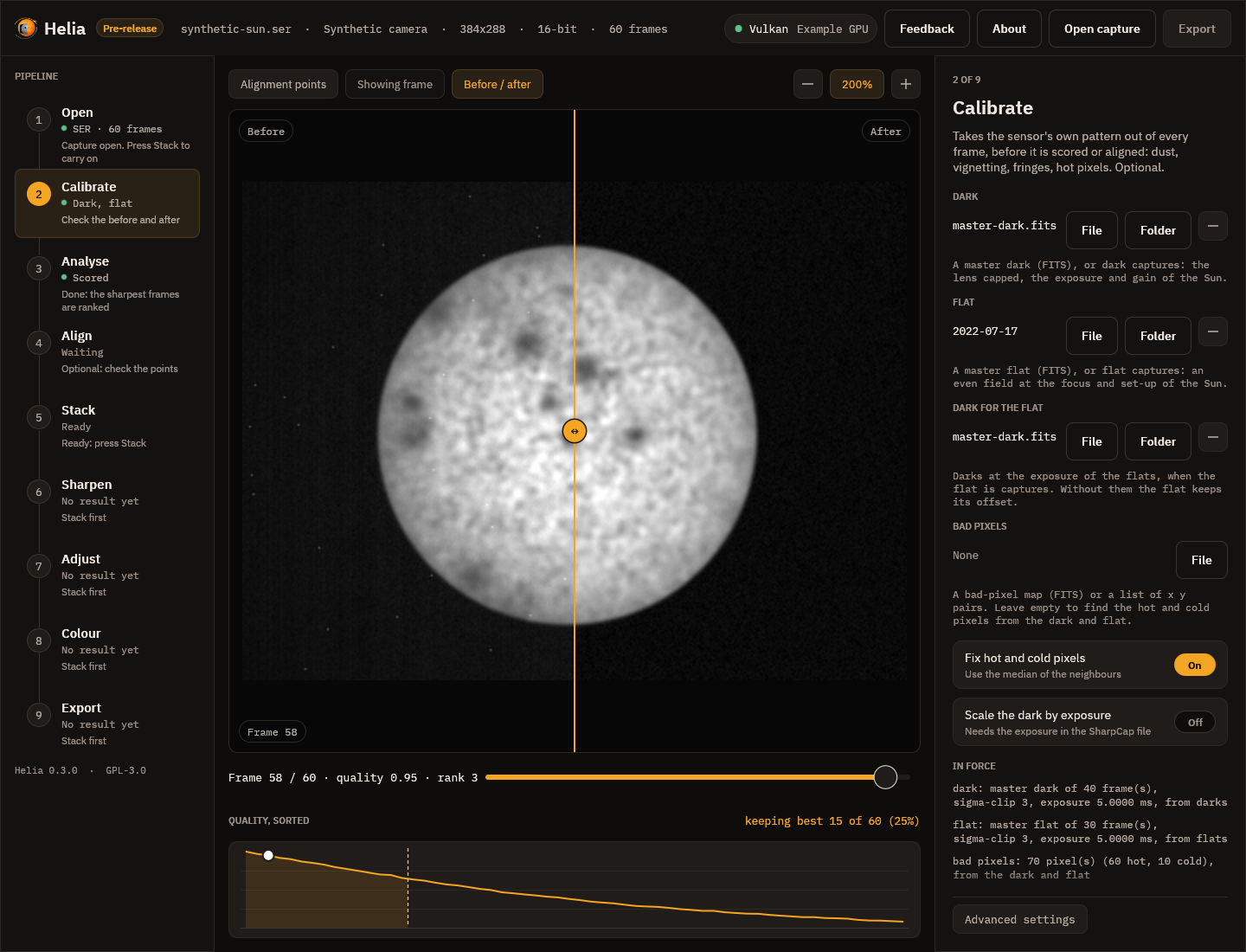
The picture is synthetic on purpose: a sun seen through a sensor with a strong vignette, dozens of dust shadows, a fixed pattern and sixty hot pixels, which the masters made from that sensor's own darks and flats take out. On a real capture the effect is subtler and this is how you check it: drag the line across the picture and watch the dust, the fall-off at the edge and the speckle in the sky.
What to do
- Press File under Dark and pick a master dark (
master-dark.fitsfromhelia calibrate), or Folder and pick a folder of dark captures. The rail shows Preparing while Helia reads or builds it. - Do the same for the Flat. If the flat is captures, a Dark for the flat slot appears; give it darks at the exposure of the flats.
- Leave Bad pixels empty and the hot pixels of the dark and the dead pixels of the flat are found and replaced, or give your own map.
- Read what the inspector says under In force: how many frames each master combines, the exposure and a fingerprint of the pixels, and any warning. A flat with Newton rings or an etalon's fringes is flagged here, and so is strong vignetting; see Etalons and Newton rings.
- Press Save the masters to write them to a folder, so that next time you can pick the files and skip the combining.
- Press Stack (or Stack with recommended settings) as usual. The frames are scored, aligned and stacked after calibration, and the file records the masters.
A master must come from the same camera, mode and region as the capture; Helia refuses a mismatch and says which. Changing a file scores the capture again, and a stack made before the change is out of date.