3. Analyse
As soon as a capture opens, Helia scores every frame for sharpness, in the background. The rail shows Scoring and then Scored; while it works a notice shows a count and the time left. You can look at the capture meanwhile.
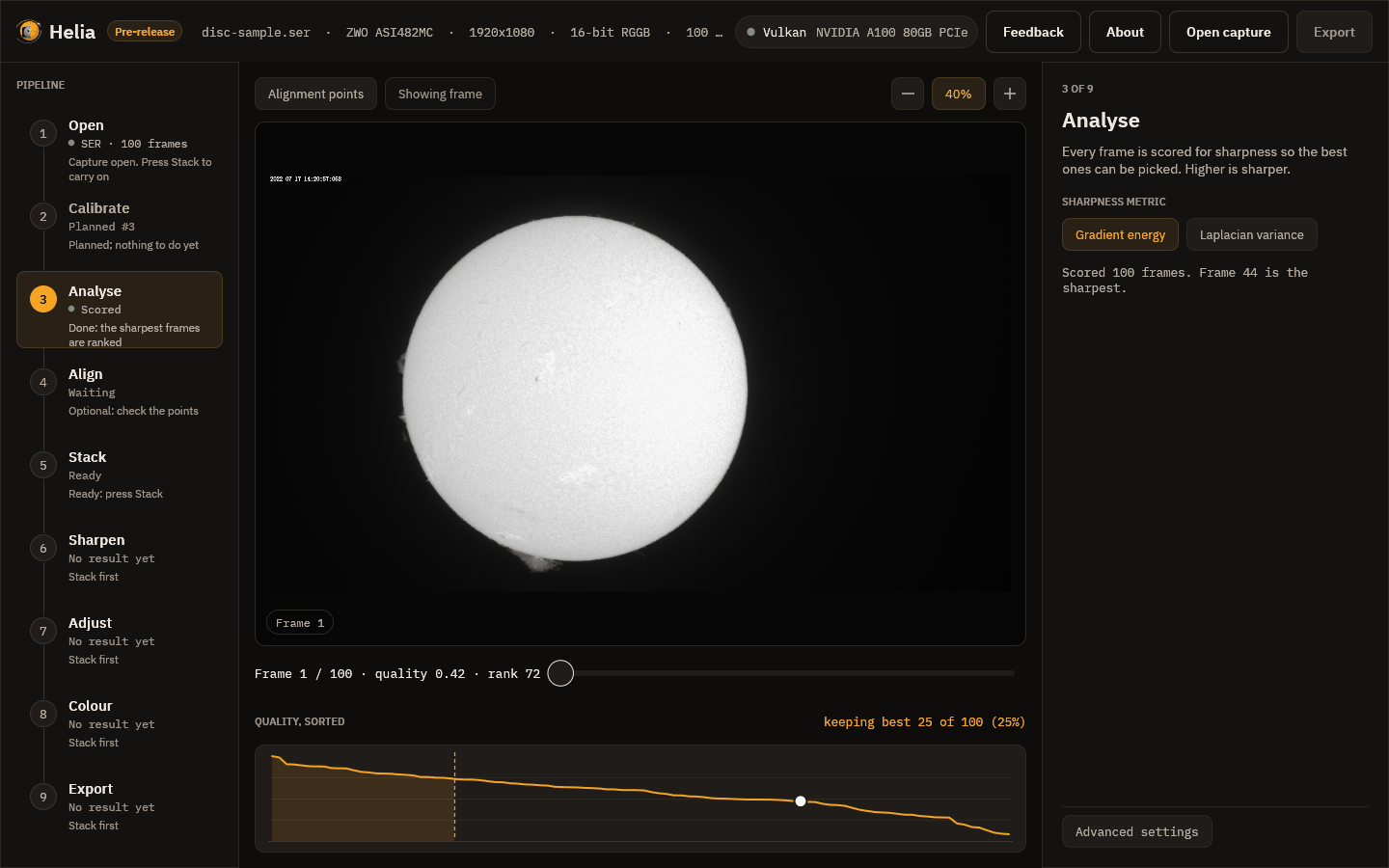
The quality curve
Under the viewer, Quality, sorted plots every frame's score from the best on the left to the worst on the right. Read it like this:
- A curve that falls steeply at the left and then flattens means a few frames were much sharper than the rest, which is typical in poor seeing. Keeping fewer frames helps.
- A curve that is nearly flat means the seeing was steady, or the frames are all about as good, and keeping more frames costs little.
- The dashed line marks where the kept frames end, the shaded area is the kept set, and the white dot is the frame on screen. Hover to read a rank; click to jump to that frame.
The scrubber reads, for example, Frame 1 / 100 · quality 0.42 · rank 72. Quality
runs from 0 (the worst frame) to 1 (the best); rank 1 is the sharpest. So this
first frame is not one of the best, which is why Helia ranks the frames itself and
does not trust the order they were recorded in.
The metric
The inspector offers two ways to score a frame:
- Gradient energy, the default, is the mean squared gradient of the frame.
- Laplacian variance is the variance of the Laplacian.
Both ignore overall brightness, so a brighter frame does not look sharper. Changing the metric scores the capture again. Most users never change it; see How stacking works.