7. Adjust
Everyday edits, each optional and each recorded in the file. They are applied after the sharpening, in a fixed order: denoise (before the sharpening), levels, curve, crop, rotate, flip, resize.
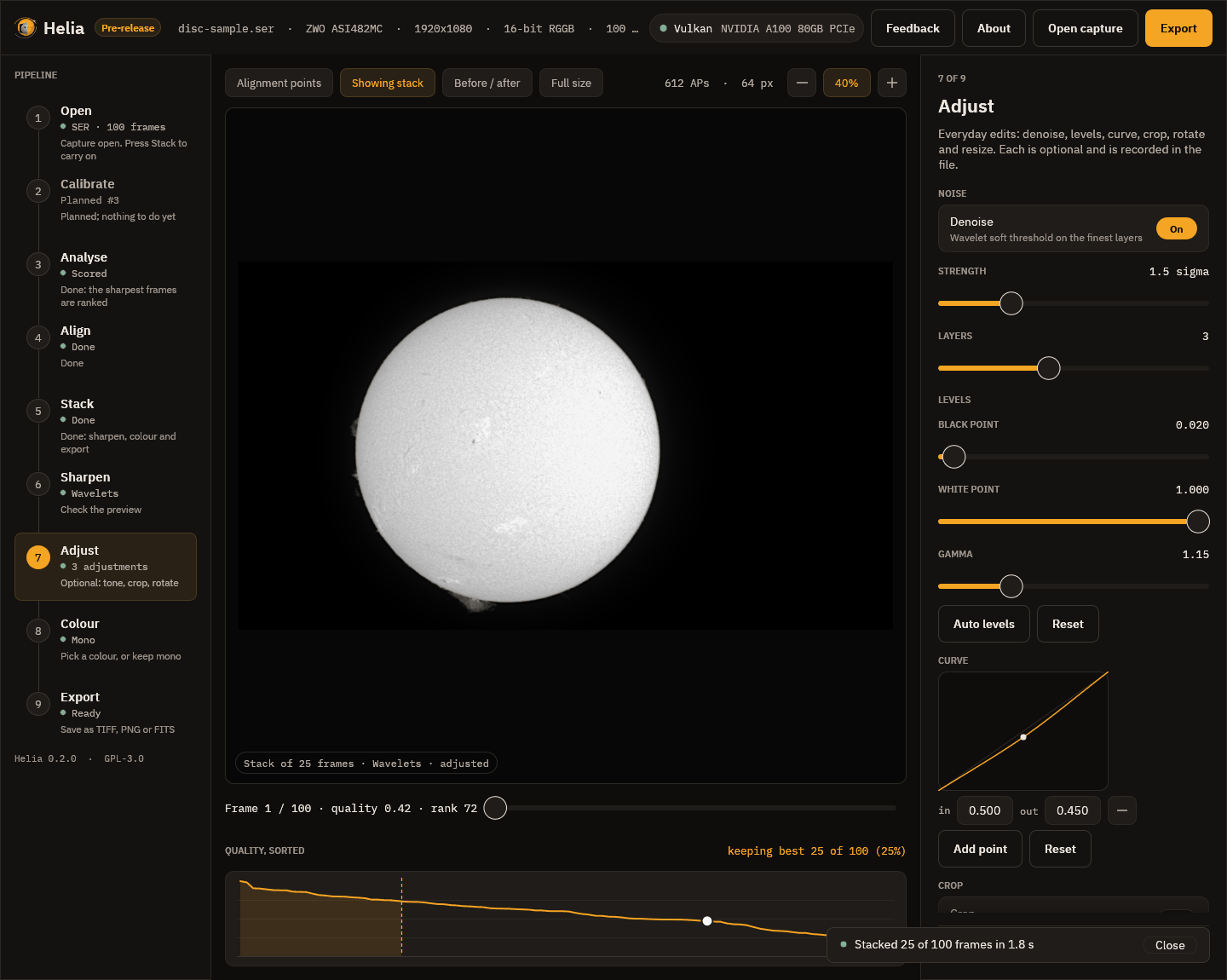
The screenshot has three adjustments switched on, which the rail counts (3 adjustments) and the pill at the foot of the picture mentions (adjusted).
- Denoise is a soft threshold on the finest wavelet layers. Strength is the threshold on layer 1 in noise sigmas (1.5 here) and Layers is how many layers it treats. It lowers noise on flat sky a good deal and leaves the contrast of a sharp edge alone.
- Levels: a black point, a white point and a gamma. Raising the black point a little (0.02 here) deepens the sky; a gamma above 1 (1.15) brightens the mid-tones. Auto levels sets the points to the 0.1 per cent and 99.9 per cent points of the stack; Reset puts them back.
- Curve: a tone curve through up to 16 points, drawn as a smooth curve that never overshoots. Press Add point, set its input and output, and the picture follows. Here a point at 0.5 in, 0.45 out gently darkens the mid-tones.
- Crop (a rectangle in pixels, or the whole image), Rotate and flip (quarter turns, a fine angle, mirrors) and Resize (10 to 400 per cent) are below the curve; scroll the inspector to reach them.
A line under the controls gives the size of the picture that will be written. Reset all adjustments switches everything off.
Tips
- Use levels and gamma first: they are the least likely to hurt.
- Denoise before you push the sharpening, not after: noise that is not there cannot be sharpened into texture.
- A curve is for looks, not measurement. If you want to measure the Sun, export the FITS and leave it unedited (see Export).