5. Stack
This step holds the settings of the combine, and the button that runs it.
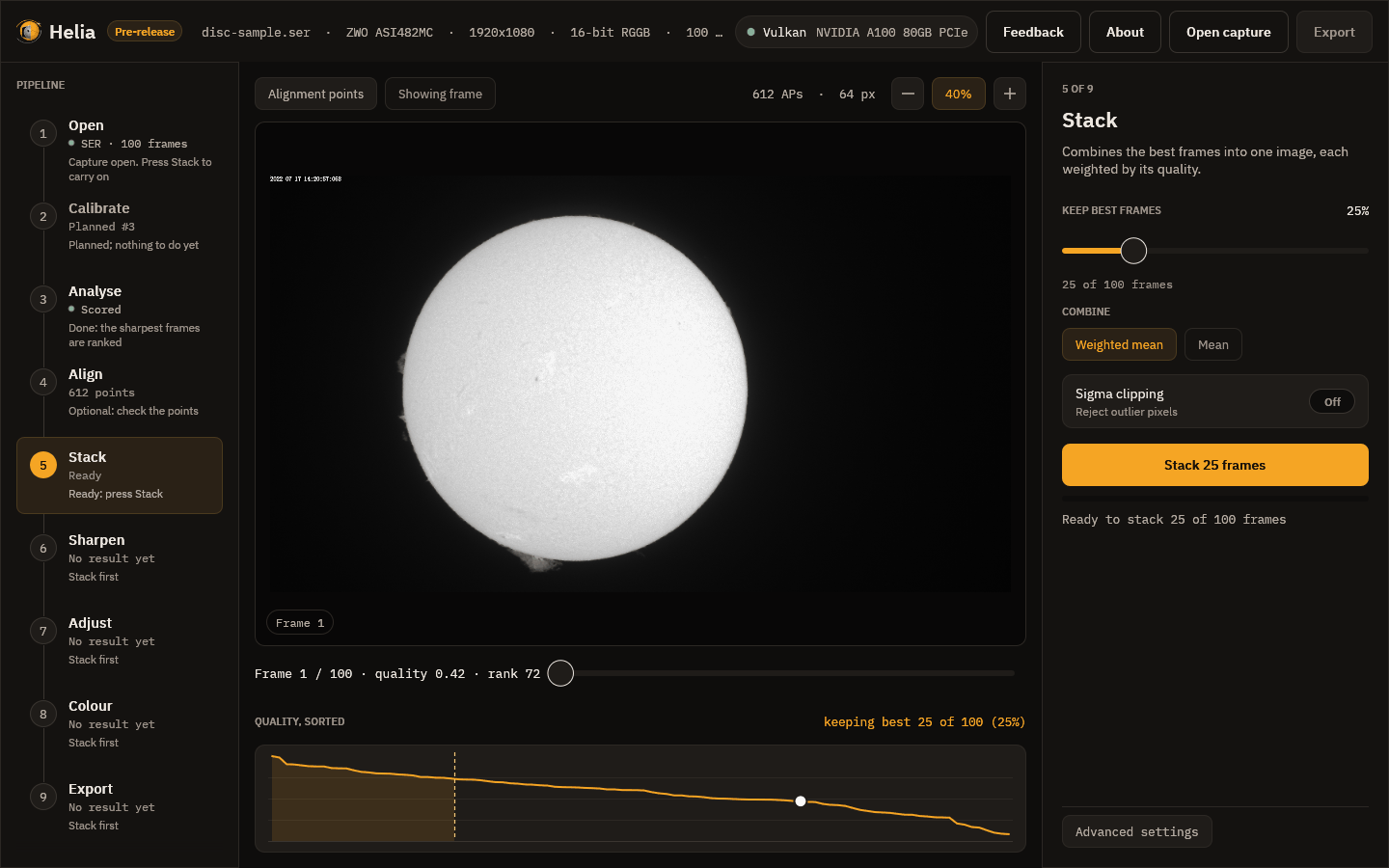
The settings
-
Keep best frames is the share of frames, ranked by quality, that go into the stack, from 5 to 100 per cent in steps of 5. The line underneath turns it into a count: here 25 per cent of 100 frames is 25. Fewer frames means a sharper but noisier picture; more means smoother and softer. The recommended share for a filter is the best starting point: 25 per cent for H-alpha, sodium, He D3 and white light, 30 per cent for the fainter lines (see Colour presets).
-
Combine is a weighted mean: each kept frame counts in proportion to its quality. A plain mean is listed but not available yet.
-
Outliers deals with pixels that are far from the others, such as a passing bird or a hot pixel: Sigma throws them out, Huber gives them less weight and Winsor pulls them in. It is off by default and makes the run slower.
-
Colour is Filter look (one plane, coloured later in the Colour step) or True colour, which stacks red, green and blue of a raw colour capture on one alignment and balances them: for white light. Its Auto balance or No balance and Align channels (red and blue onto green, for atmospheric dispersion) appear when it is chosen, and the chip is disabled for a capture that is not a Bayer mosaic. See True colour.
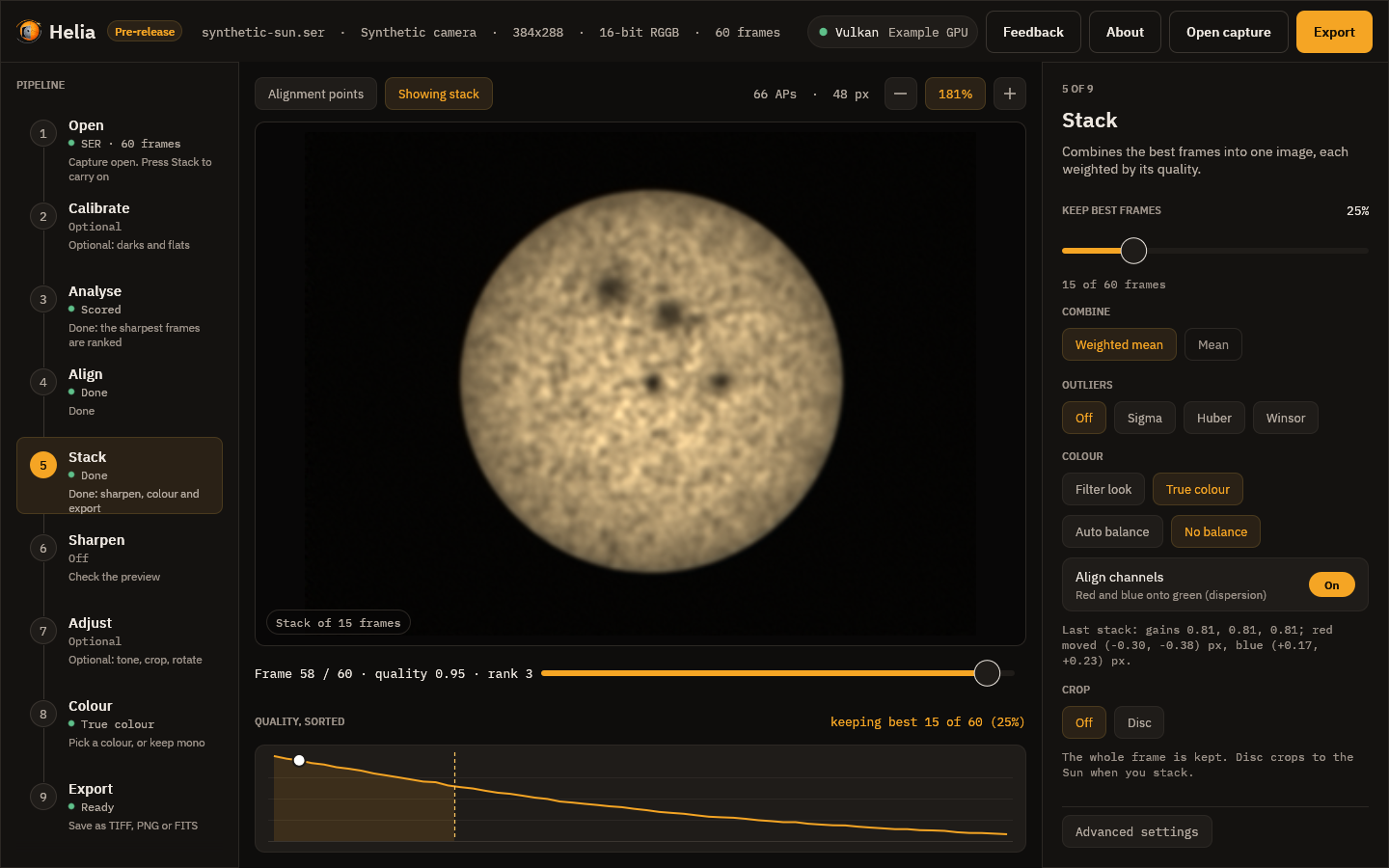
-
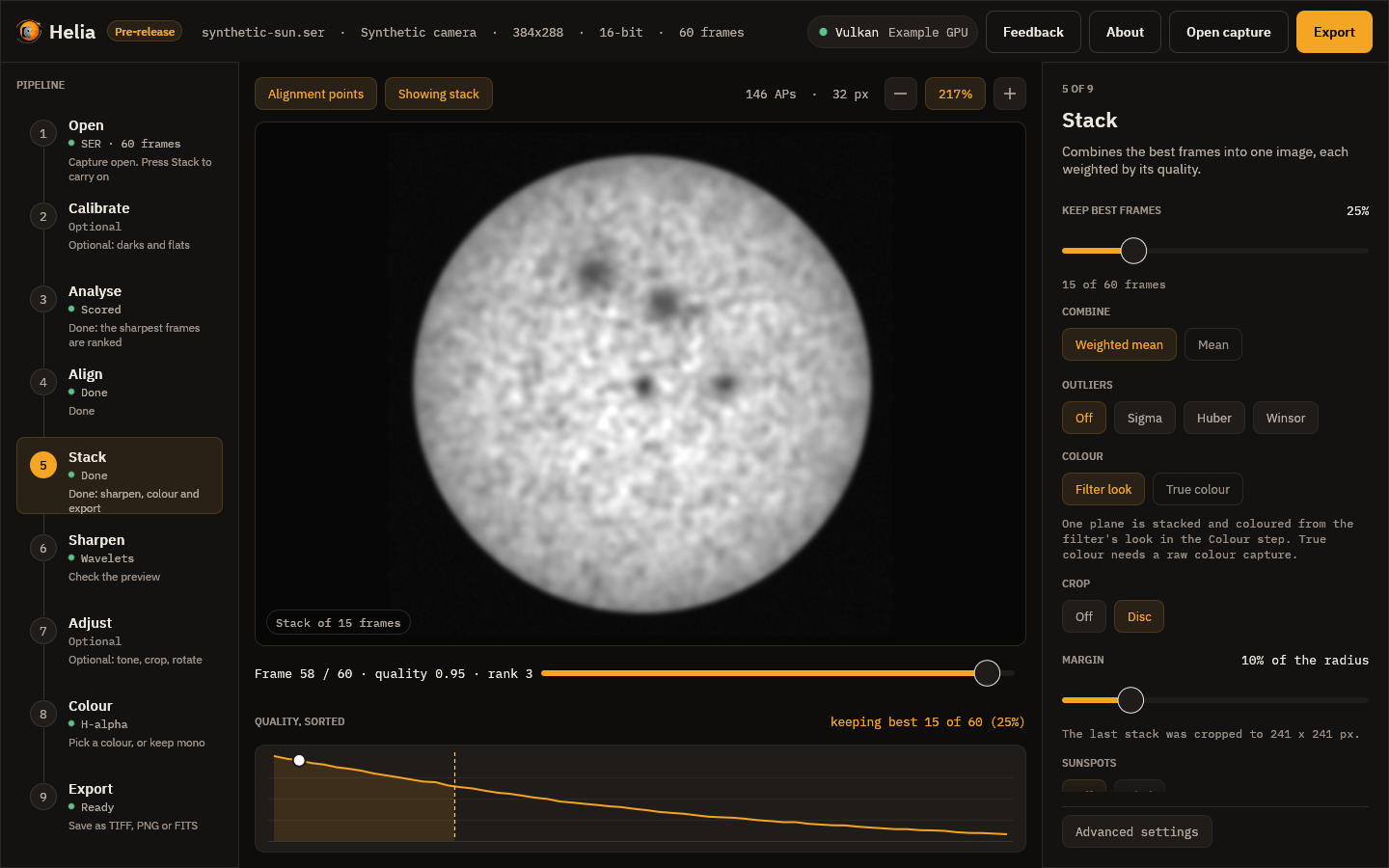
Crop is Off (the whole frame) or Disc, which cuts the result to a square around the fitted solar disc with a margin you set (10 per cent of the radius to start with; prominences seldom reach 5 per cent). The note under it says what will happen and, after a stack, the size it was cropped to. A capture with no clear disc is left whole and the note says so.
-
Stack N frames starts the run.
While it runs
A notice above the picture names the stage, shows the percentage and the time left, and has a Cancel button; the thin bar in the inspector shows overall progress. Cancelling stops the run without losing your settings. These are the stages:
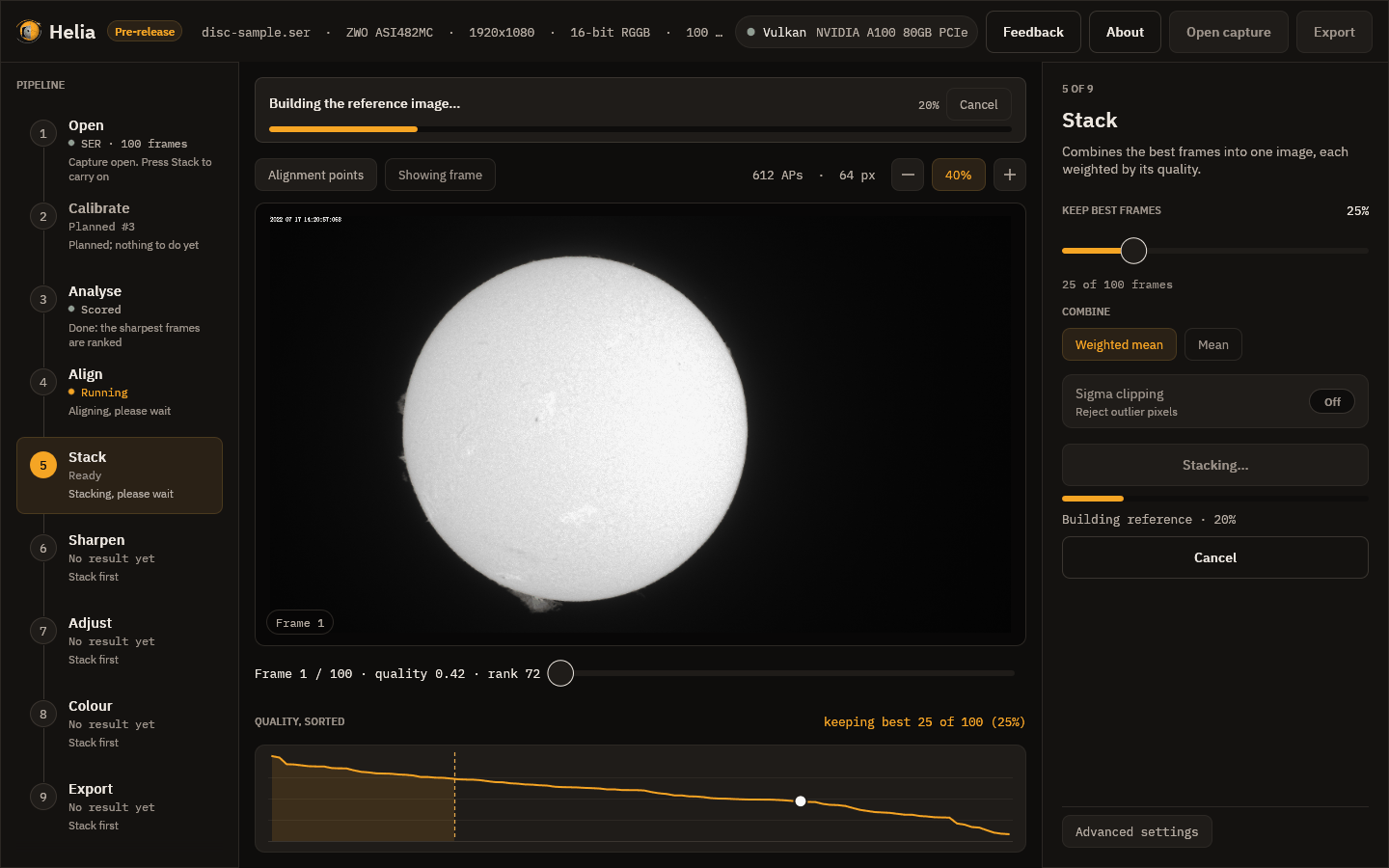
- Scoring the frames, if not already done.
- Building the reference image: a first stack of the best frames to align against.
- Aligning the frames: the whole-frame step.
- Measuring the alignment points: each point's drift in each frame.
- Stacking the best frames: the weighted mean with every point's shift applied.
- Finishing the image.
The result
When it finishes, a message reports the frames used and the time taken, the viewer switches to the stacked image, Export lights up and Helia moves on to Sharpen.
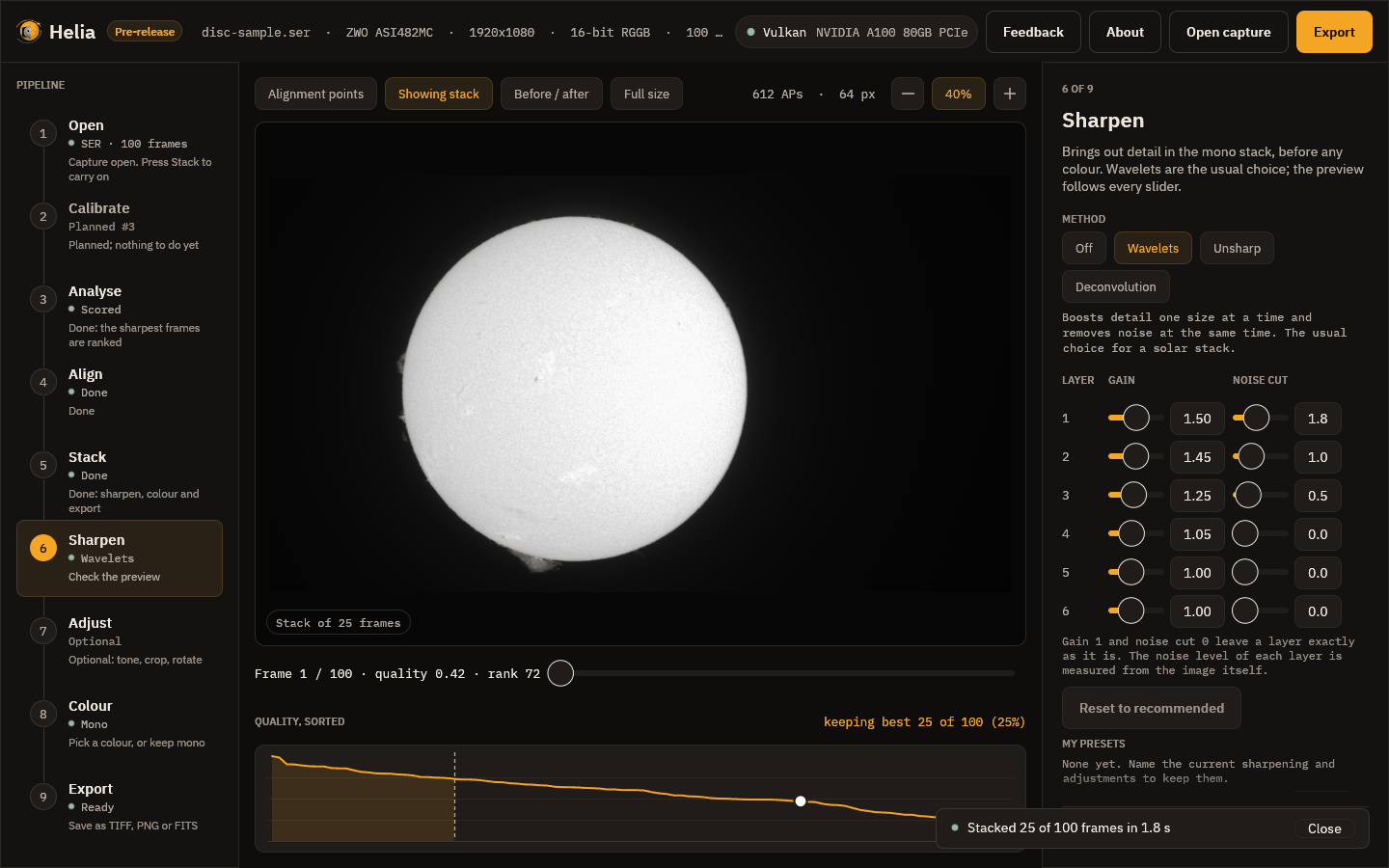
The stack is mono. It looks soft compared with a good single frame at first glance, and that is expected: it is smooth because the noise has been averaged away, and the sharpening step is where the fine detail is brought back. For how the maths works, see How stacking works.